Audio Blast – Drum Blaster v1.2.2 Standalone, VSTi, VSTi3, AAX, CLAP for Windows


Audio Blast – Drum Blaster v1.2.2 Standalone, VSTi, VSTi3, AAX, CLAP for Windows

Year/Date of Issue: 11.10.2026
Version: 1.2.2 (v1.2.2 Maintenance & Engine Update)
Developer: Audio Blast
Developer's website: https://www.audioblast.me/product/drum-blaster-beat-generator-plugin/
Platform: Windows (x64)
Format: Standalone (SAL), VSTi, VSTi3, AAX, CLAP
Discharge: 64-bit
Tablet: Present / Cured (Pre-Activated)
System requirements:
- Operating System: Microsoft Windows 10 or Windows 11 (64-bit)
- Processor (CPU): Intel Core i5 / AMD Ryzen multi-core processor (2.5 GHz or faster)
- RAM: 4 GB RAM minimum (8 GB recommended for streaming multi-layered kits)
- Hard Drive Space: ~3.5 GB free disk space for core installation and sample library
- Display Resolution: 1280 x 800 minimum screen resolution (HiDPI / 4K UI supported)
- Host Application: 64-bit VST2, VST3, CLAP, or AAX compatible DAW (FL Studio, Ableton Live, Cubase, Studio One, REAPER, Bitwig Studio, Pro Tools)
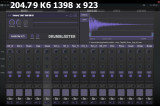
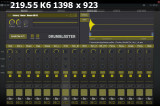
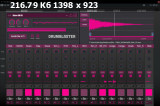
A dedicated beat design environment and drum workstation engineered to unite vintage desk character with modern drag-and-drop sequencing. Drum Blaster pairs an authentic analog signal chain tracked at Oasis Studio with flexible routing, per-pad sound shaping, and instantaneous kit randomization.
- 16 Independent Channel Strips: Load, sequence, tune, and process 16 discrete drum channels with independent volume, pan, tuning, mute/solo, and multi-output routing.
- Historic Neve VR32 Signal Chain: All factory samples were tracked through the vintage Neve VR32 analog desk at Oasis Studio (Reunion Island), driven through Pultec EQs, Manley processors, and Empirical Labs Distressors.
- Massive Out-of-the-Box Content: Includes over 4,000 drum one-shots, 200 genre-specific kit presets, and 100 grooves and MIDI sequences spanning Techno, House, Hip-Hop, Trap, EDM, Dub, and Breakbeat.
- 11 Integrated Insert FX Processors: Every channel strip features 3 dedicated insert FX slots loaded with filters, delays, reverbs, modulations, and four distinct analog distortion models.
- Intelligent Multi-Folder Randomizer: Generate fresh kit combinations instantly by drawing complementary sounds across multiple source categories and folders simultaneously.
- Precision Waveform Sample Editor: Visual waveform display featuring real-time zoom, transient slicing, start/end marker trims, fade-in/out ramps, and choke-group assignment.
- Universal Format Support: Delivered across VSTi, VSTi3, AAX, Standalone, and modern CLAP formats with per-note expression capabilities.
Channel Strip Controls:
- Per-Channel Mixing: Independent Gain/Volume, Fine/Coarse Pitch Tuning, Stereo Pan, and Mute/Solo switches.
- Multi-Output Bus Matrix: Route any channel directly to the Master Bus or out to 16 separate stereo auxiliary channels in your DAW mixer for external processing.
- Sample Audition & Flip: Quick-skip arrows and drop-down menu navigation for auditioning alternative one-shots directly in time with active playback.
- Random Trigger Mode: Enable per-channel random sample cycling to introduce dynamic round-robin variation and prevent sample fatigue.
- Master Section: Master Volume, Stereo VU Metering, Global Pitch Scope, and Variable Speed / Playback Rate controls.
Available Insert Processors (3 Stackable Slots per Channel):
- Analog Distortion Suite (4 Models):
- Rage Clip: Aggressive hard-knee diode clipper designed to add cutting upper-harmonic bite to kicks and snares.
- 4-Band Fuzz: Multi-band fuzz processor allowing independent frequency drive without turning low-end fundamentals muddy.
- Disto Fuzz: Heavy vintage transistor fuzz for industrial and lo-fi textures.
- Overdrive: Smooth tube-style saturation for gentle harmonic warmth and tape-like compression.
- Filters: Resonant Low-Pass, High-Pass, and Band-Pass filters with dynamic frequency sweeps.
- Modulation Processors: Stereo Chorus, Flanger, and 4-stage Phaser for widening cymbals and textural percussion.
- Time & Space:
- BPM-Synced Delay: Stereo ping-pong and tape delay lines with high-cut dampening.
- Algorithmic Reverb: Dense spatial room and plate models optimized for short percussive decays.
- Synthetic Sub / Resonator: Adds low-end weight and pitched body under thin transient clicks.
Analog Lineage & Hardware Provenance:
- The Neve VR32 Desk: Originally constructed for Studio Tranquille le Chat in Paris, the console was meticulously dismantled, transported across France, shipped across the ocean to Reunion Island, and fully restored by Vincent Heckel (e-licktronics).
- Outboard Tracking Chain: Drum machines and percussion sources were routed through:
- Empirical Labs EL8 Distressor: Dialed in for aggressive transient punch and British-mode 1:1 limiting.
- Pultec EQP-1A Equalizers: Providing deep low-end shelf boosts and silky top-end sheen.
- Manley Variable Mu & Massive Passive: Adding tube compression glue and broad spectral contouring.
- Plugin Formats: Standalone (SAL), VSTi, VSTi3, CLAP, AAX Native (64-bit)
- Audio Processing: 64-bit internal floating-point DSP
- Sample Rate Support: 44.1 kHz, 48 kHz, 88.2 kHz, 96 kHz, 176.4 kHz, 192 kHz
- Channel Routing: Stereo Master Bus + 16 Independent Stereo Auxiliary Outputs
Compatible Digital Audio Workstations:
- Image-Line FL Studio 20 / 21 / 2026
- Ableton Live 11 / 12
- Bitwig Studio (Native CLAP support with per-voice modulation)
- Steinberg Cubase / Nuendo
- PreSonus Studio One
- Cockos REAPER
- Avid Pro Tools (AAX 64-bit)
Step-by-Step Installation:
-
Host Preparation:
- Close your DAW and any running audio applications.
-
Run Installer:
- Execute the main setup file (
Drum_Blaster_1_2_2_Setup.exe) as Administrator. - Select your preferred plugin formats (
Standalone,VSTi,VSTi3,CLAP,AAX). - Confirm your target 64-bit plugin directories and choose the destination folder for the 4,000+ sample factory library.
- Complete the installation sequence.
- Execute the main setup file (
-
Activation Status:
- The binaries in this release are pre-cured and activated; no manual serial entry, license file generation, or internet connection is required.
-
Verify Installation:
- Open Drum Blaster in Standalone mode first to allow the factory sample database to initialize.
- Launch your DAW, rescan your plugin library, and instantiate Drum Blaster on a virtual instrument track.
- Multi-Out Drum Mixing in Your DAW:
- Assign Pad 1 (Kick) to Out 1/2, Pad 2 (Snare) to Out 3/4, and Pad 3 (Hi-Hats) to Out 5/6.
- In your DAW mixer, map these auxiliary channels to independent mixer inserts. This lets you apply surgical external compression (e.g., sidechain ducking or bus EQ) while keeping Drum Blaster's internal insert FX active for creative sound design.
- Dynamic Round-Robin Generation via Random Trigger:
- Load two or three slightly different snare hits across channels 2, 3, and 4, setting them to the same MIDI note trigger or using the Random Trigger mode.
- Dial in subtle pitch variation (±15 cents) on each strip to eliminate robotic playback during fast snare rolls.
- Heavy Electronic Kick Layering:
- Load a clean sub-heavy kick on Channel 1 and an acoustic transient crack on Channel 2.
- Insert the Rage Clip distortion on Channel 2 to exaggerate upper mid-range snap, while leaving Channel 1 untouched to preserve low-end clarity.
តំណទាញយក
| ថ្ងៃចុះឈ្មោះ: | 12, October, 2026 |
| ទំហំ: | 668 MB |
| អ្នកភ្ជាប់ (Peers): | អ្នកចែកចាយ (Seed): 0|អ្នកទាញយក (Leech): 1 |
| អ្នកអរគុណ: |
វិចិត្រសាលរូបថតអេក្រង់
មតិយោបល់ (0)
ចូលគណនីដើម្បីទុកមតិយោបល់
សូមចូលគណនីរបស់អ្នកដើម្បីមើលមតិយោបល់របស់សមាជិក និងចែករំលែកមតិយោបល់របស់អ្នក។